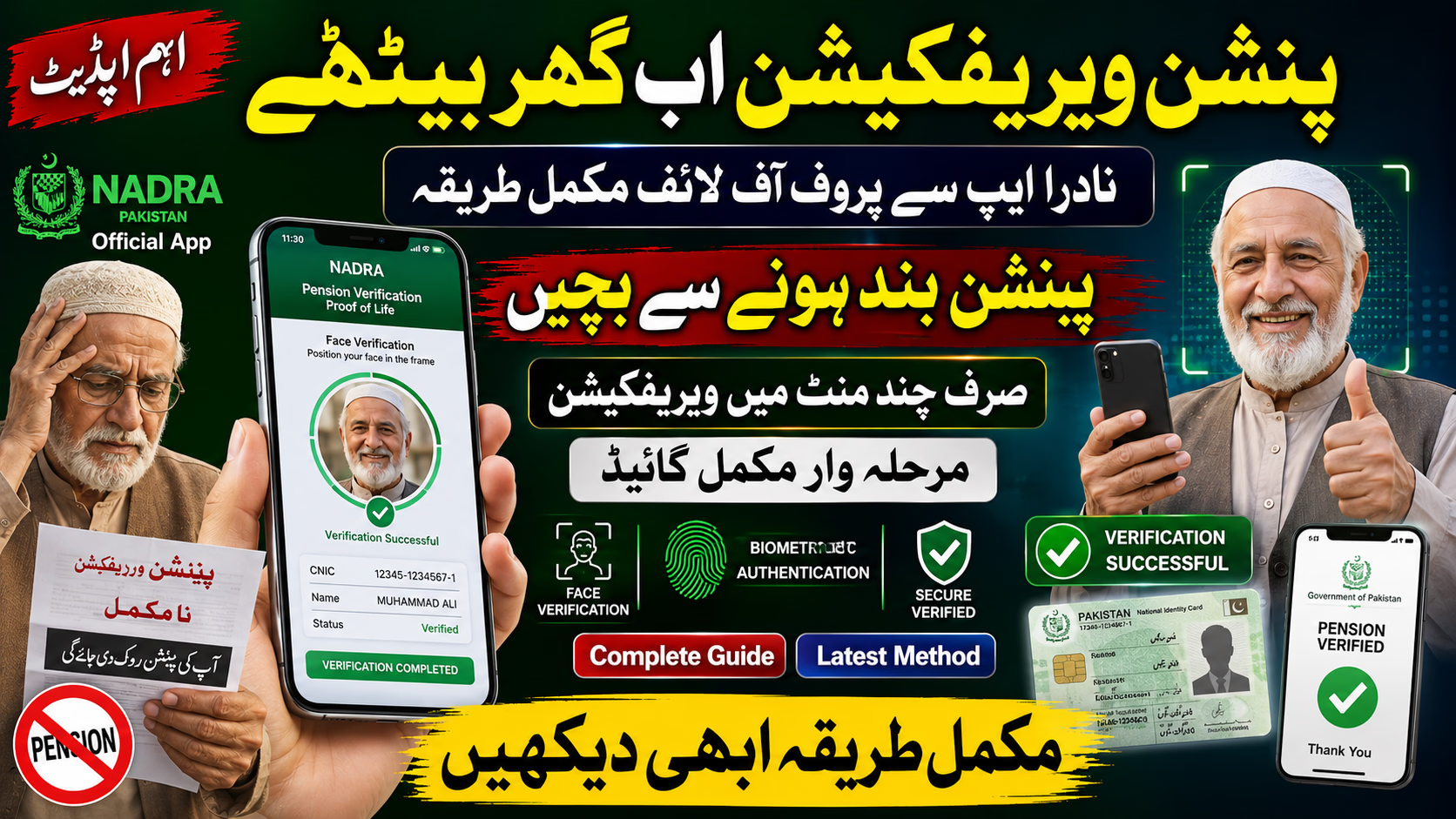
Pension verification in Pakistan is moving toward a faster digital system, making it easier for retirees to confirm eligibility without repeated physical visits. With NADRA’s digital verification framework and the Pak ID app ecosystem, pensioners can complete proof of life confirmation using modern identity verification tools.
This guide explains how the NADRA app pension verification system works, who may need it, eligibility details, required documents, the application process, possible issues, and practical tips for smooth approval.
What Is NADRA Pension Proof of Life Verification?
Proof of Life verification is a confirmation process used to ensure that pension payments continue reaching eligible beneficiaries. Traditionally, pensioners often visited banks or relevant departments for manual confirmation.
The updated digital approach is designed to simplify verification through biometric identity validation, facial recognition checks, and linked citizen records.
This modernization helps reduce:
- Payment fraud
- Manual paperwork
- Delays in pension release
- Branch congestion
- Identity mismatches
For Pakistani pensioners, this means a more convenient and transparent verification experience.
Why NADRA Introduced Digital Pension Verification
Pakistan’s pension management system serves a very large number of retirees. Manual confirmation methods can create delays, administrative errors, and inconvenience for elderly citizens.
The digital model aims to improve efficiency through secure electronic verification.
Major benefits include:
- Faster confirmation process
- Improved payment accuracy
- Reduced dependency on physical office visits
- Better fraud prevention
- More secure identity matching
- Simplified nationwide access
This initiative aligns with Pakistan’s broader digital governance improvements.
Who Needs to Complete Pension Verification?
The verification requirement generally applies to:
- Federal government pensioners
- Provincial pension beneficiaries
- Retired public employees
- Pension recipients receiving funds through participating banks
- Beneficiaries asked for annual life confirmation
Requirements may vary depending on department policies and banking procedures.
Documents Required for NADRA Pension Verification
Before starting the process, keep the necessary information ready.
Common requirements may include:
- Valid CNIC
- Registered mobile number
- Pension account details
- Updated family information
- Face verification access through smartphone camera
- Biometric identity confirmation if required
Having accurate records can help avoid delays.
How NADRA App Pension Verification Works
The digital pension verification framework uses secure identity authentication.
The process may include:
- Identity confirmation through CNIC data
- Facial recognition verification
- Matching citizen records with NADRA systems
- Proof of Life certificate confirmation
- Bank-side payment eligibility verification
The objective is to confirm that pension disbursement continues only for verified recipients.
Applying Process for NADRA Pension Verification
Eligible pensioners can begin the verification journey using the designated NADRA-linked digital platform.
The application flow generally includes identity authentication, account linking, verification submission, and confirmation review. Depending on system implementation, some users may complete the process entirely through mobile access, while certain cases could require bank or support validation.
Processing timelines can differ based on system load, record accuracy, and institutional coordination.
How to Use Pak ID App for Proof of Life Verification
The Pak ID app is expected to serve as a key interface for pension-related identity confirmation.
General usage includes:
Download the Application
Install the official Pak ID application on your smartphone.
Sign In or Create an Account
Access your account using registered citizen credentials.
Identity Verification
Confirm your personal details using the required authentication tools.
Face Authentication
Complete the camera-based verification request.
Record Matching
Allow the system to compare submitted details with official identity records.
Submit Verification
Finalize the request for processing.
Receive Confirmation
Check status updates after successful submission.
Common Problems During Verification
Some pensioners may face technical or verification-related issues.
Examples include:
- Face recognition failure
- Incorrect CNIC information
- Mobile number mismatch
- App login problems
- Slow processing
- Camera permission errors
- Network connectivity issues
- Record mismatch alerts
Most issues can be resolved by correcting account details or retrying verification under better conditions.
Tips for Successful Pension Verification
For smoother processing:
- Use a stable internet connection
- Ensure your CNIC information is current
- Keep your mobile number active
- Allow camera permissions
- Complete verification in proper lighting
- Double-check entered details
- Avoid repeated incorrect submissions
Preparation improves success rates.
Is NADRA Pension Verification Safe?
Digital identity verification systems are designed with security measures to protect citizen information.
Security layers may include:
- Identity authentication
- Encrypted verification channels
- Facial recognition matching
- Secure record validation
- Controlled institutional access
Users should always use official applications and avoid third-party links.
What Happens If Pension Verification Is Not Completed?
Failure to complete required verification may affect pension continuity depending on official implementation rules.
Possible outcomes may include:
- Payment delays
- Temporary account review
- Verification hold
- Request for manual confirmation
Timely compliance helps prevent interruptions.
Difference Between Manual and Digital Pension Verification
| Feature | Traditional Method | Digital Verification |
|---|---|---|
| Office Visit | Usually Required | Often Not Required |
| Processing Time | Slower | Faster |
| Paperwork | Higher | Lower |
| Convenience | Limited | Better |
| Identity Matching | Manual | Automated |
| Accessibility | Location Dependent | Remote Access |
Digital systems significantly improve usability.
Frequently Asked Questions
Can pensioners verify proof of life from home?
In many digital verification scenarios, remote confirmation may be possible through approved mobile systems.
Is biometric verification mandatory?
Requirements depend on the final implementation framework and institutional rules.
Which app is used for pension proof of life verification?
The Pak ID digital ecosystem is expected to play a major role in identity-based verification.
Can provincial pensioners also use this system?
Coverage may expand depending on implementation across institutions.
What if face verification fails?
Retry using better lighting, stable internet, and accurate account details.
Final Words
Pakistan’s digital pension verification shift represents a significant convenience upgrade for pensioners. Instead of relying heavily on traditional paperwork and repeated physical verification, the NADRA-supported digital framework can streamline proof of life confirmation through secure identity tools.
Pensioners should keep identification details updated and monitor official instructions regarding implementation timelines, banking integration, and verification requirements.
This digital transformation is expected to make pension management faster, more transparent, and easier for beneficiaries across Pakistan.
Latest Updates